Bring your team together
Organize programs, build teams, assign leaders, and manage role-based access as your ministry grows.
 Literature EvangelismTHE APP FOR YOUR MISSION
✳ YOUR CALLING. CONNECTED.
From the first door to the next follow-up. Bring your territory, people, and everyday details together—so you can focus on sharing hope.
For conference programs. For personal canvassing. For the mission.
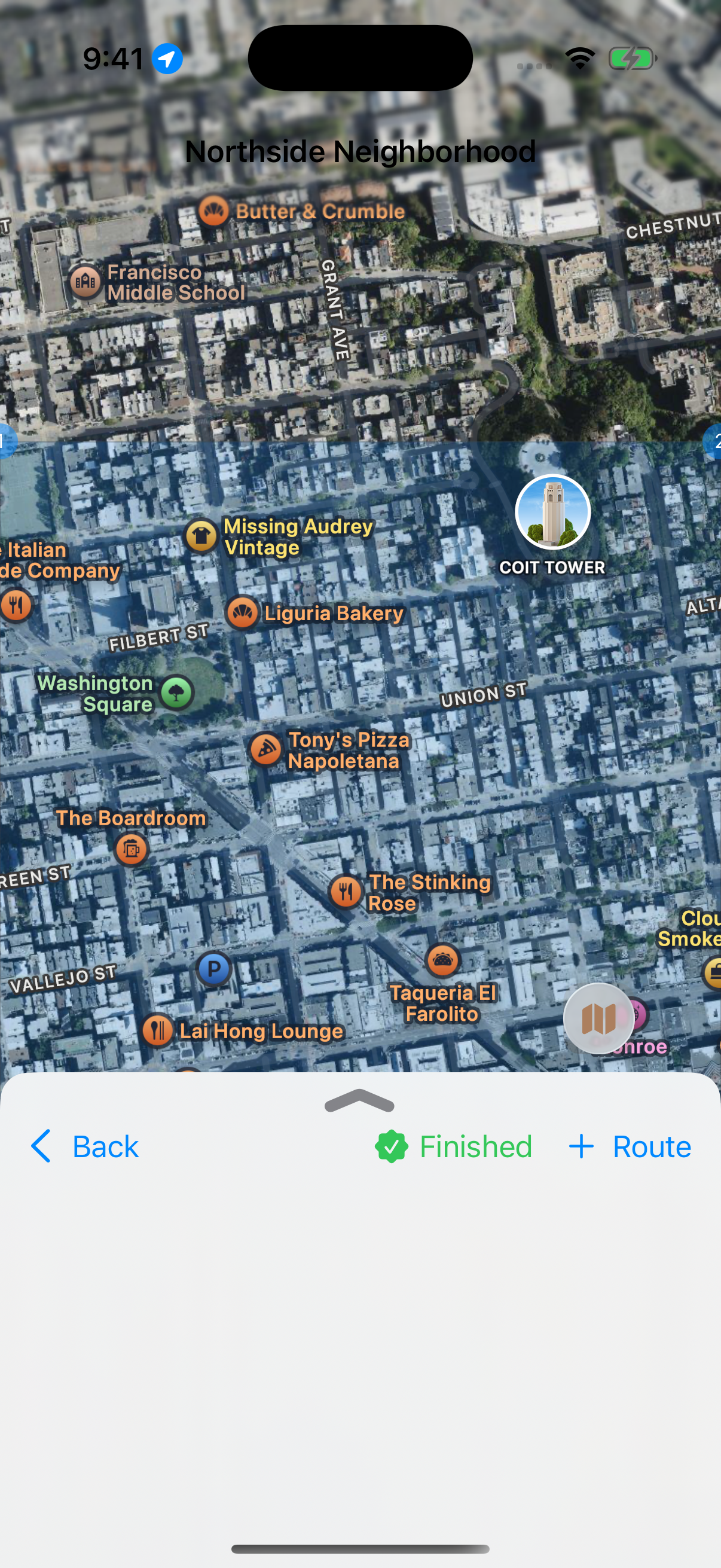
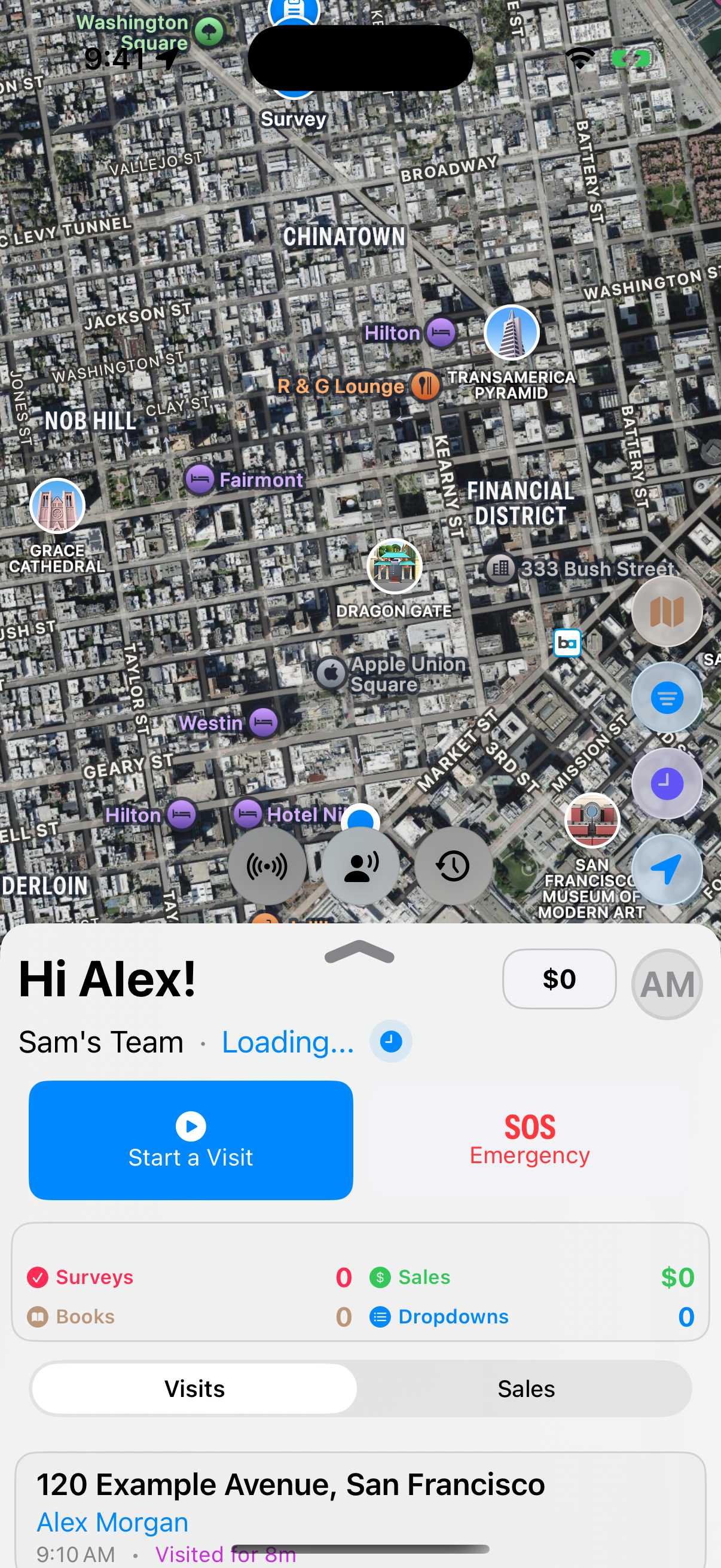
Actual iOS screens · Fictional demo data
One purpose. Every part of the work.
FROM PLANNING TO FOLLOW-UP
One connected place for the details that make a day in the field possible. Take a closer look.
Actual iOS app screen · Fictional demo data
FOR CONFERENCES & PROGRAMS
Support the people doing the work. Give program heads and leaders a clearer picture of the field, and your conference a more organized view of the details.
Organize programs, build teams, assign leaders, and manage role-based access as your ministry grows.
Review territory coverage, team activity, and program results. Give each day a thoughtful plan.
Bring sales, donations, books, hours, and inventory into a clearer view of your program.
LESS END-OF-PAY-PERIOD SCRAMBLE
Review time entries, prepare compensation summaries, account for deductions, and export a CSV for your conference’s payroll process.
Payroll preparation tools; payroll disbursement is handled separately.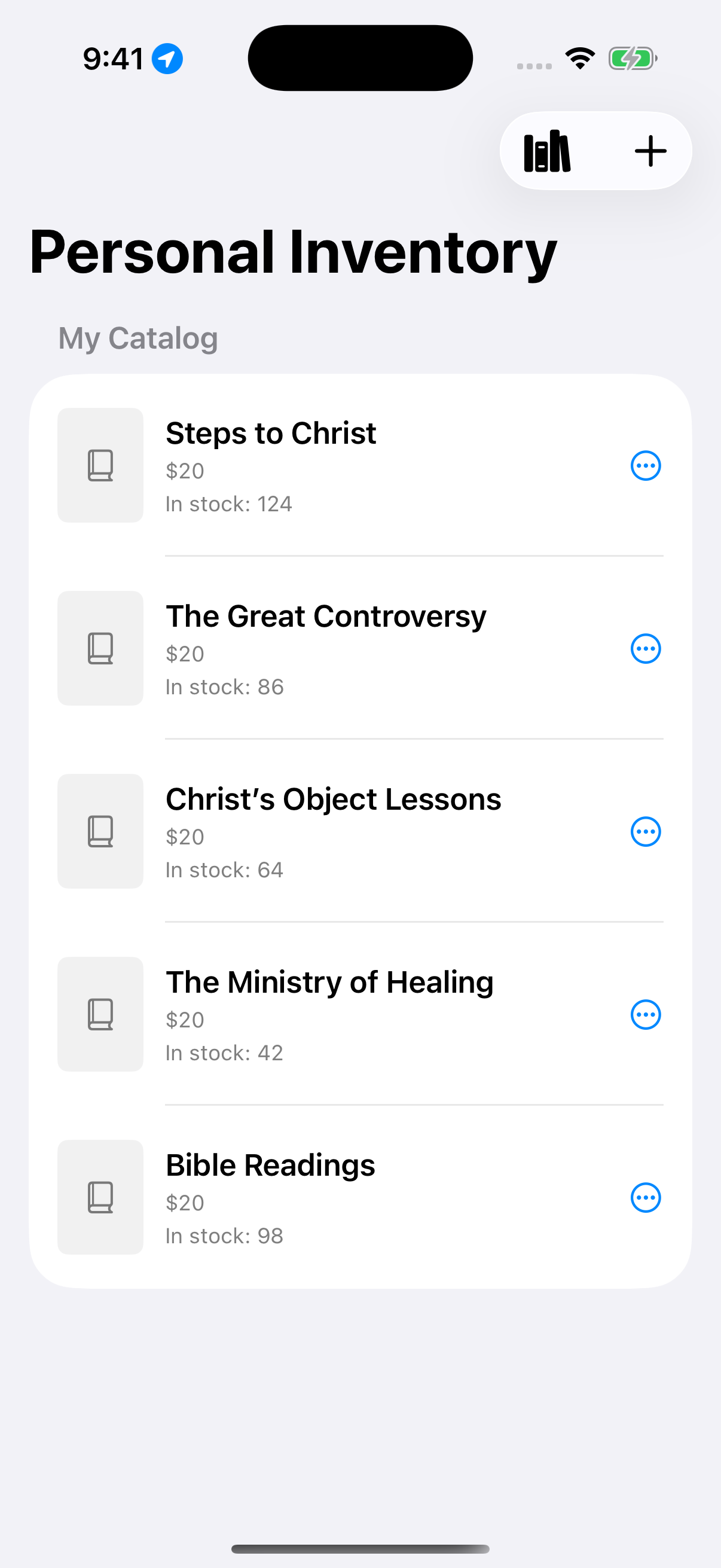
Personal catalog on iOS · Demo books
FOR INDIVIDUAL CANVASSERS
You don’t need a full program to do meaningful work. Personal canvassing mode gives you a place to plan, record, and reflect on your own ministry.
THE DETAILS MAKE A DIFFERENCE
Record survey responses, prayer requests, interest ratings, and notes that give the next conversation context.
Track field hours and visit timing. Program time entries support review and payroll preparation.
Record books, donations, and payment details. Supported Square connections add payment collection and receipt tools.
Help alerts, pickup requests, and supported team radio tools keep coordination close at hand. Location tools depend on permissions and connectivity.
Manage catalogs, review stock, record restocks and removals, and see the history behind inventory changes.
Use organization branding, program settings, and access roles to support the way your team works.
Territories and subterritories · Team assignments · Coverage views · Drop creation and plans · Drop progress and visit history · Location views · Help and pickup alerts · Supported team radio and voice messages
Visits and outcomes · Surveys in English and Spanish · Contact notes and interest ratings · Follow-up interests · CSV export · Configurable contact sending to Thrive
Sales and donations · Product catalogs · Supported Square payments · Receipts · Inventory movements · Team and program statistics · Time entries · Payroll reviews, deductions, and CSV export
Personal canvassing workspace · Personal catalog and activity · Canvassing hours · Separate personal payment settings · Organization affiliations and sharing controls · Program roles and branding · Apple Watch summaries and visit reminders
Availability varies by platform, role, and program settings. The Android experience currently focuses on students. Payment integrations require separate setup.
FROM YOUR DESK TO THE DOORSTEP
Built for the devices you use in the field, with a browser-based workspace for program administration.
Field tools, leadership views, and personal canvassing in the Apple app.
iOS · iPadOSStudent field tools for visits, sales, surveys, drops, and activity.
STUDENT VERSION · BEING FINALIZEDCompanion views for team and program stats, visit timing, and reminders.
watchOS · COMPANIONProgram management, contacts, reports, inventory, and payroll preparation.
PROGRAM ADMINISTRATIONAll app screenshots shown here are from iOS. The Android student version is still being finalized. Features differ by device and role; download links will be added after release availability is confirmed.
ROOM TO SEE WHAT’S POSSIBLE
Two ways to serve. A free trial for each.
FOR INDIVIDUALS
Your own workspace for the work you’re called to do.
First 30 days free
FOR CONFERENCES
A connected workspace for your people and your program.
First 30 days free · Up to 25 active members
Proposed pricing for this design review. Final terms and payment setup are still being finalized. No payment is collected in this preview.
A FEW THINGS YOU MAY BE WONDERING
Yes. Personal canvassing mode provides a separate workspace for your visits, sales, catalog, hours, and activity. The current Android version focuses on program students; personal canvassing is part of the Apple app experience.
Program administrators can enable the Thrive integration to send new and updated contacts. The integration uses contact location to help route follow-up and records sending errors for review. Historical contacts can also be sent through the program’s backfill tool. CSV export is available separately; this is not a two-way Thrive sync.
Program administrators can review time entries, correct and approve records, prepare compensation summaries, include deductions, and export a CSV for payroll preparation. The app supports your payroll workflow; it does not disburse wages or replace your payroll provider.
The proposed plan includes up to 25 active program members, including students, leaders, and program heads. Conference owners who are not members of that program do not count toward its allowance. This definition and the final pricing will be confirmed before launch.
The proposed trial lasts 30 days. We’re finalizing how subscriptions will be purchased. The planned expiry behavior preserves access to existing records while pausing new activity until access is extended or a subscription is arranged. Nothing in this preview starts a real trial or charges you.
No. iPhone and iPad support broader field and leadership workflows. Android currently focuses on students, Apple Watch provides companion tools, and the web portal supports program administration. Availability also depends on your role and program configuration.
Yes. This preview is separate from the current website. Select Sign in to open a link to the existing admin portal. Your existing accounts and program data remain there.
THE NEXT DOOR IS WAITING
Make space for the conversations that matter.